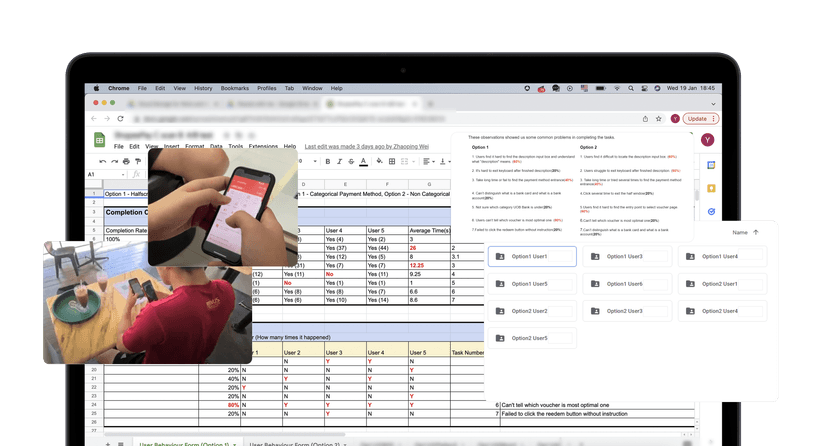
Research plan became a template for future studies within the team.
Process
 ShopeePay · 2021
UX Research
UI Design
Prototyping
Internship
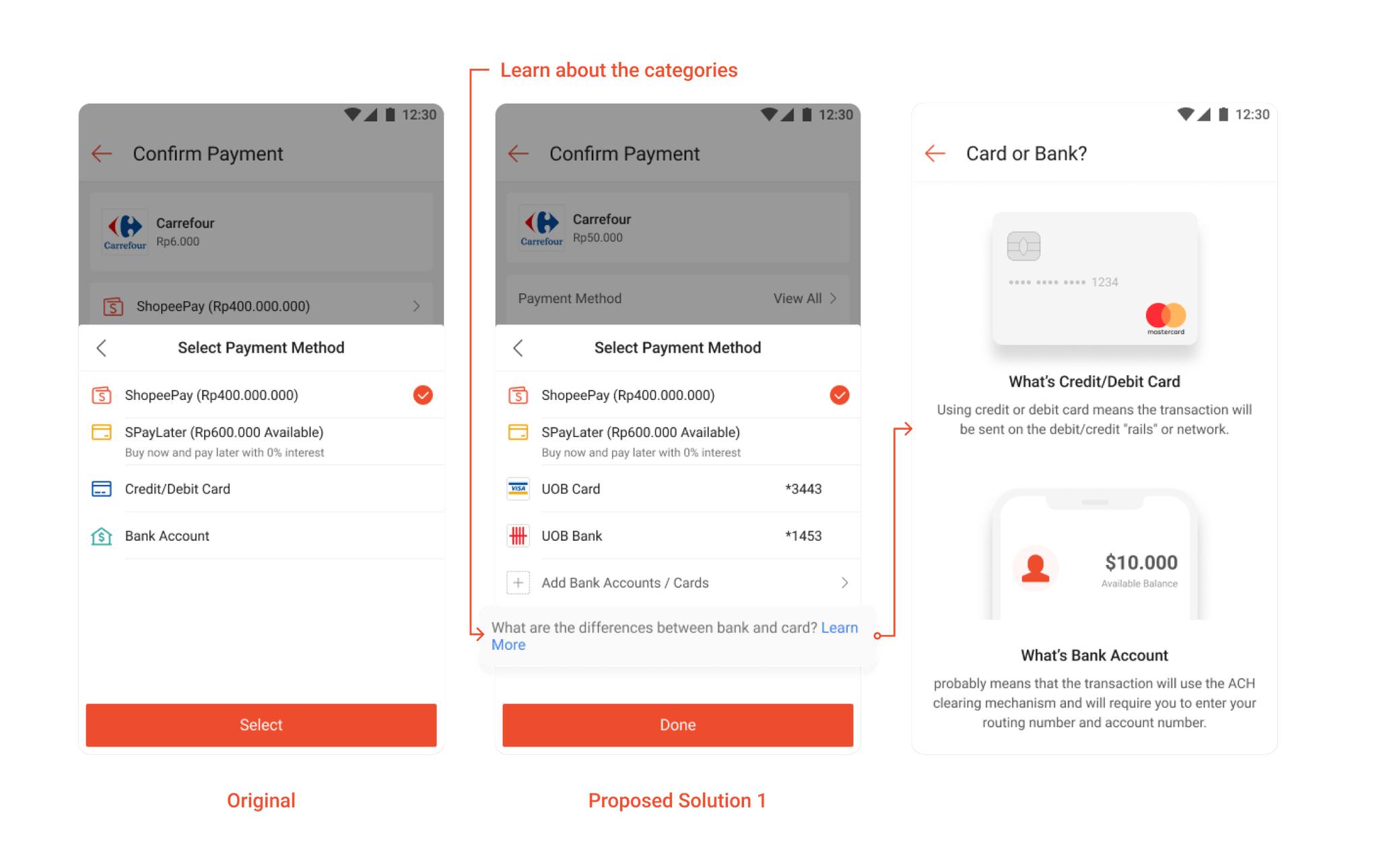
Using credit or debit card means the transaction will be sent on the debit/credit "rails" or network.
$10.000
Available Balance
Transaction will use the ACH clearing mechanism and will require you to enter your routing number and account number.
Research Plan
Facilitate A/B Tests
Competitive Analysis
High-Fidelity Prototyping
UI Design
Zhaoping Wei · Mentor
Choo Yuan Jie · UX Designer
Results
Research plan became a template for future studies within the team.
Process
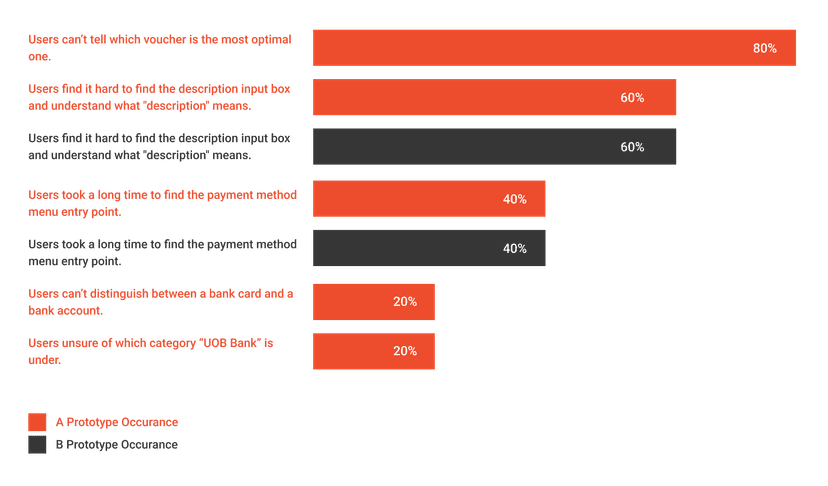
Uncovered qualitative insights that validated existing data (from data-analysis team).
Insight
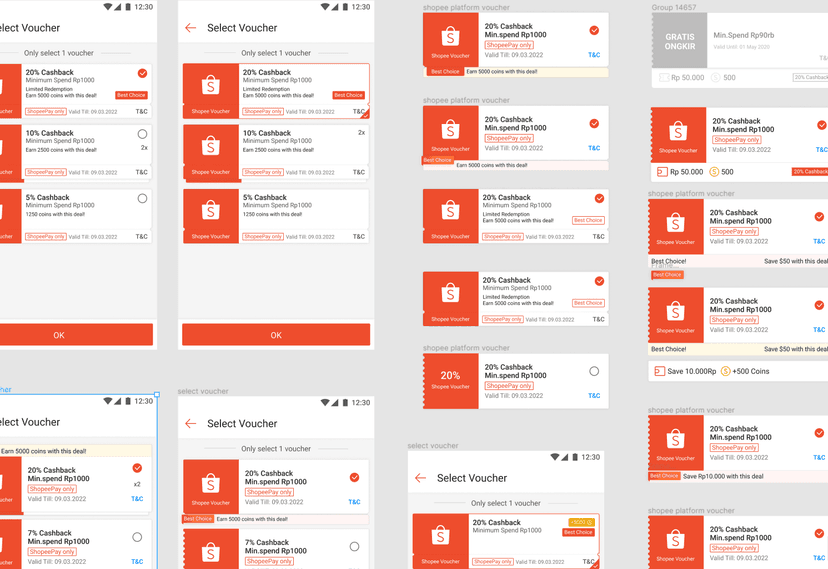
Synthesised data and re-designed UI components.
Design
Background
As the team responsible for the design of ShopeePay, the goal of this project was to make UI components more effective, to improve the efficiency of how digital transactions can be done in ShopeePay.
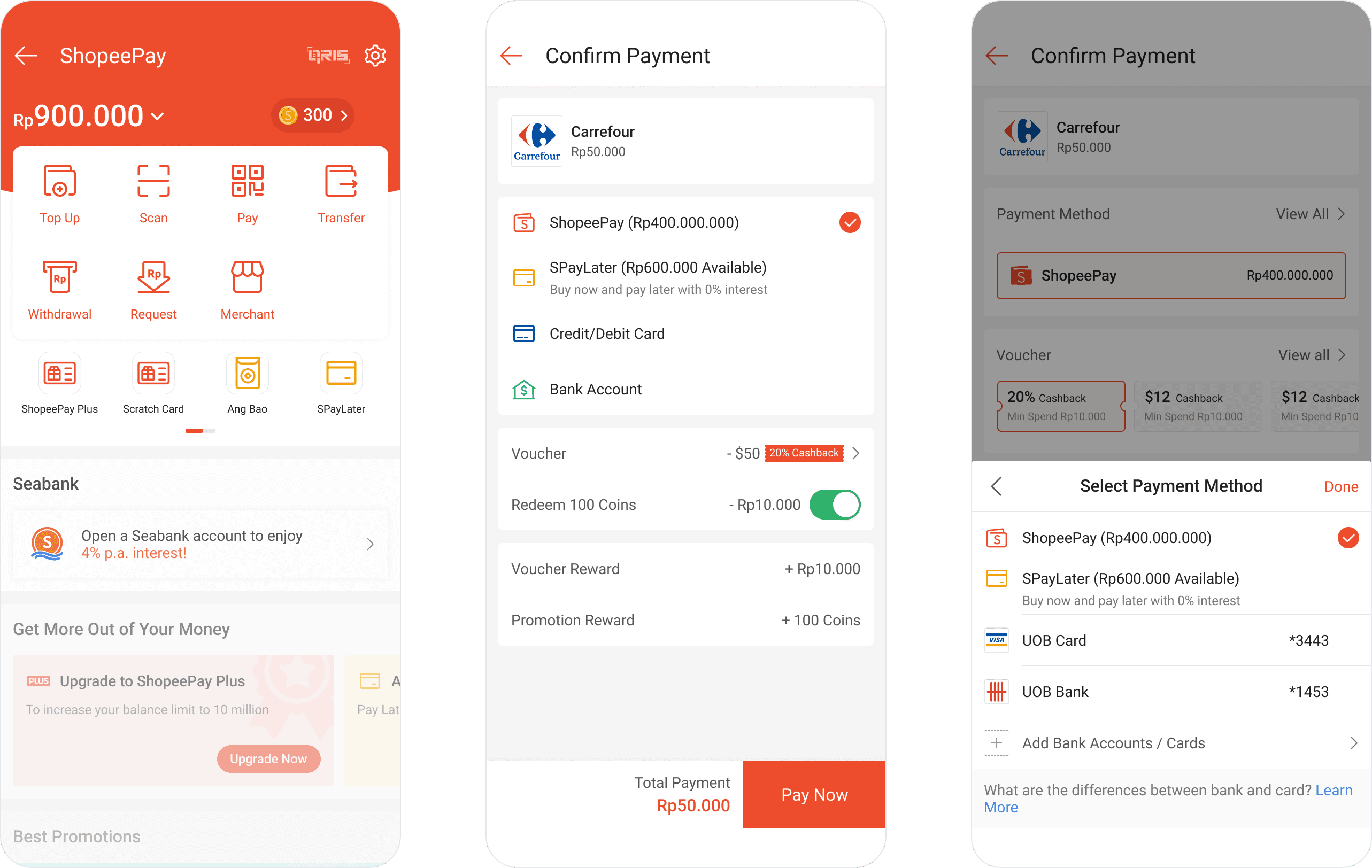
Summary
1
I experienced the payment journey with a fresh pair of eye, to experience any pain points myself. We also compared the differences of 6 other competitors in SEA.
2
We categorised each notable difference and made sense of trends. Inferring from each competitor, we drafted similar components in our prototypes.
3
We prepared 2 different high-fidelity prototypes (original components vs new components). Upon testing the prototypes with an A/B test, we gathered data such as time taken and completion rate.
4
We made a sensible conclusion and a final prototype was prepared for the PMs.
We realised that...
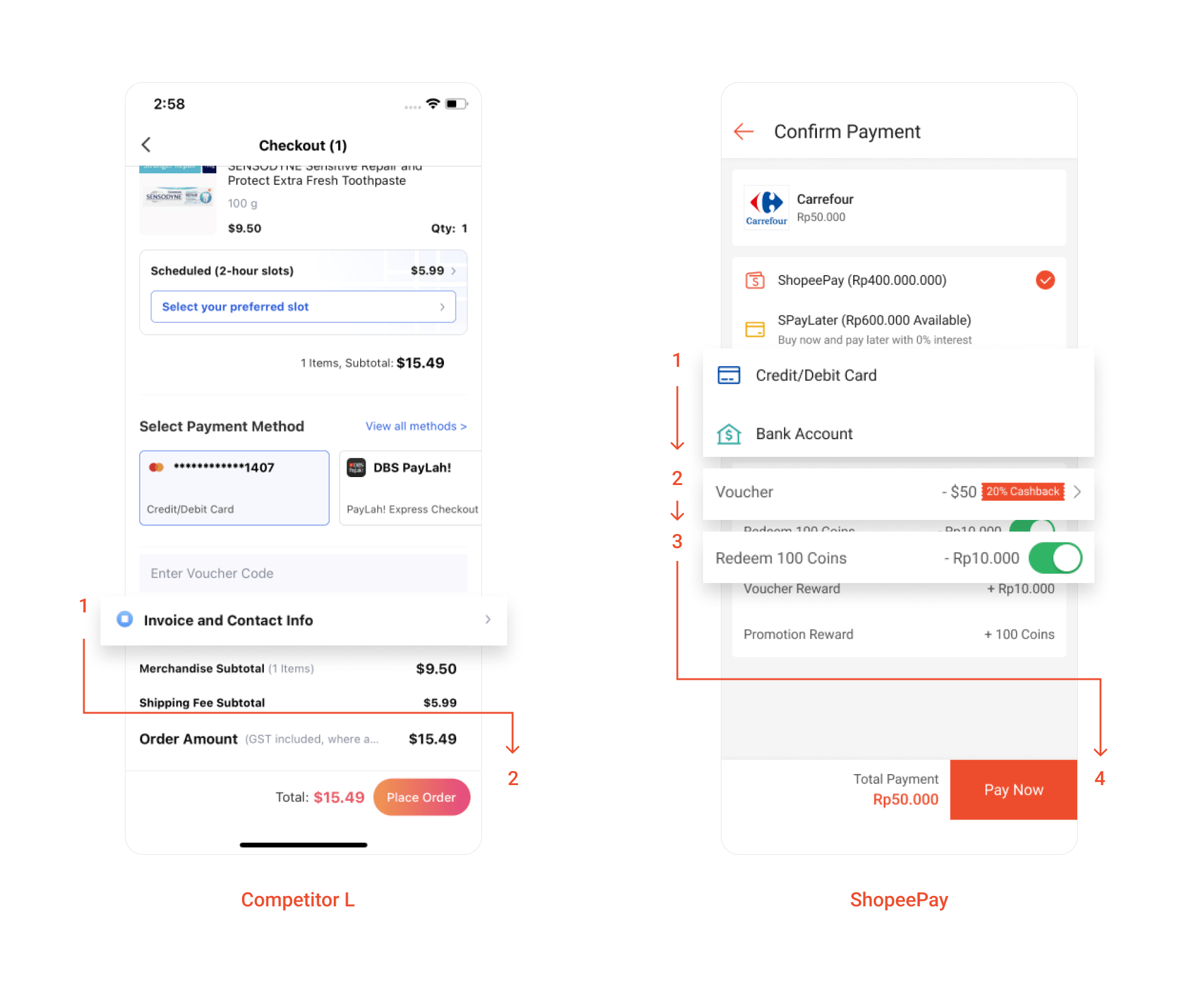
There are a lot of extra pages that account for a huge time spent on each decision making process (such as vouchers and coins) as compared to competitors, who let their users decide on the same page.
ShopeePay: 3 pages. Competitor G: 2 pages. Competitor L: 1 page. Competitor J: Same page.
We also realised that...
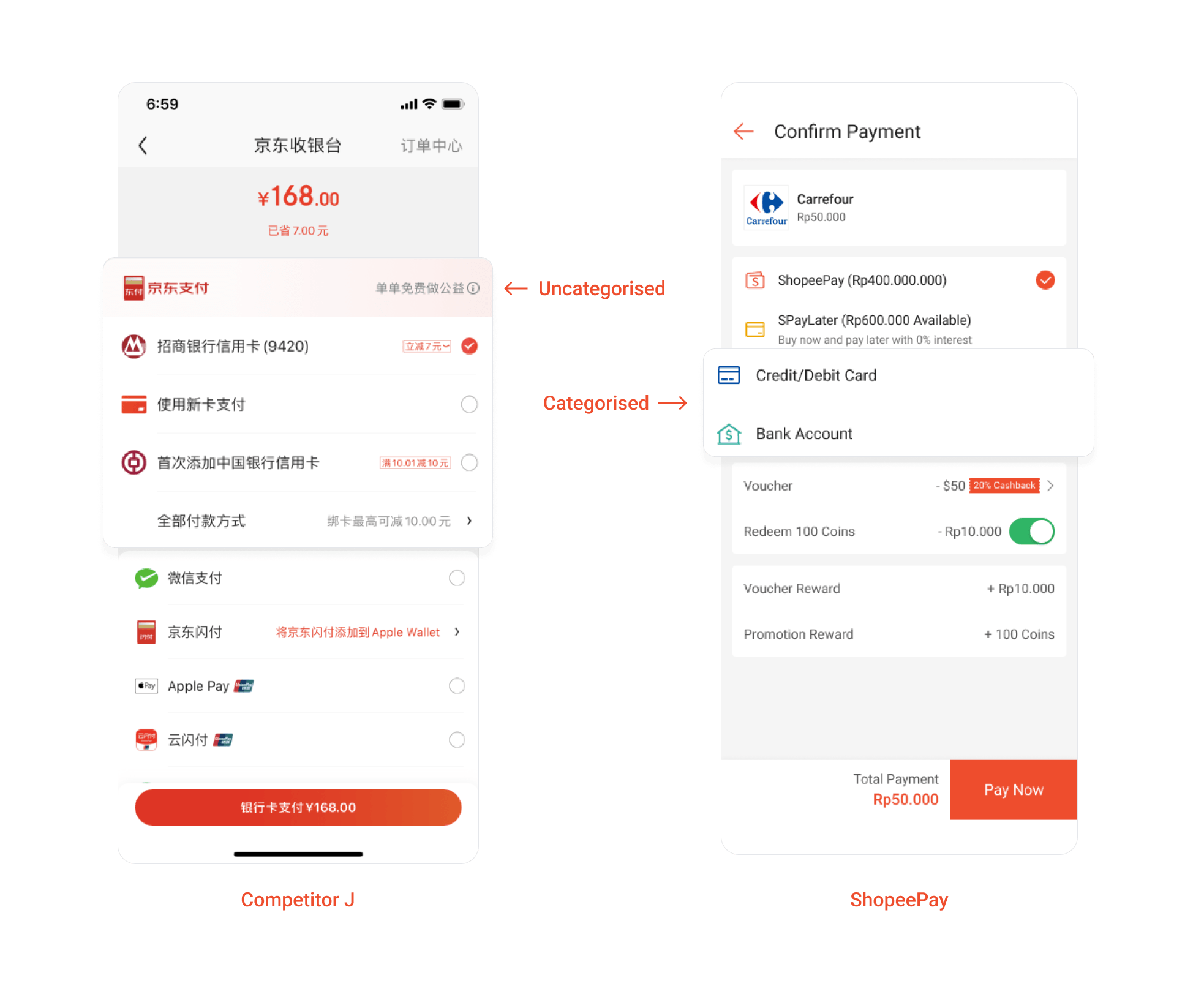
Two common methods of display payment methods exists, one of which expands all options and another (which ShopeePay uses) categorises them to their medium.
Research Questions
Hypothesis
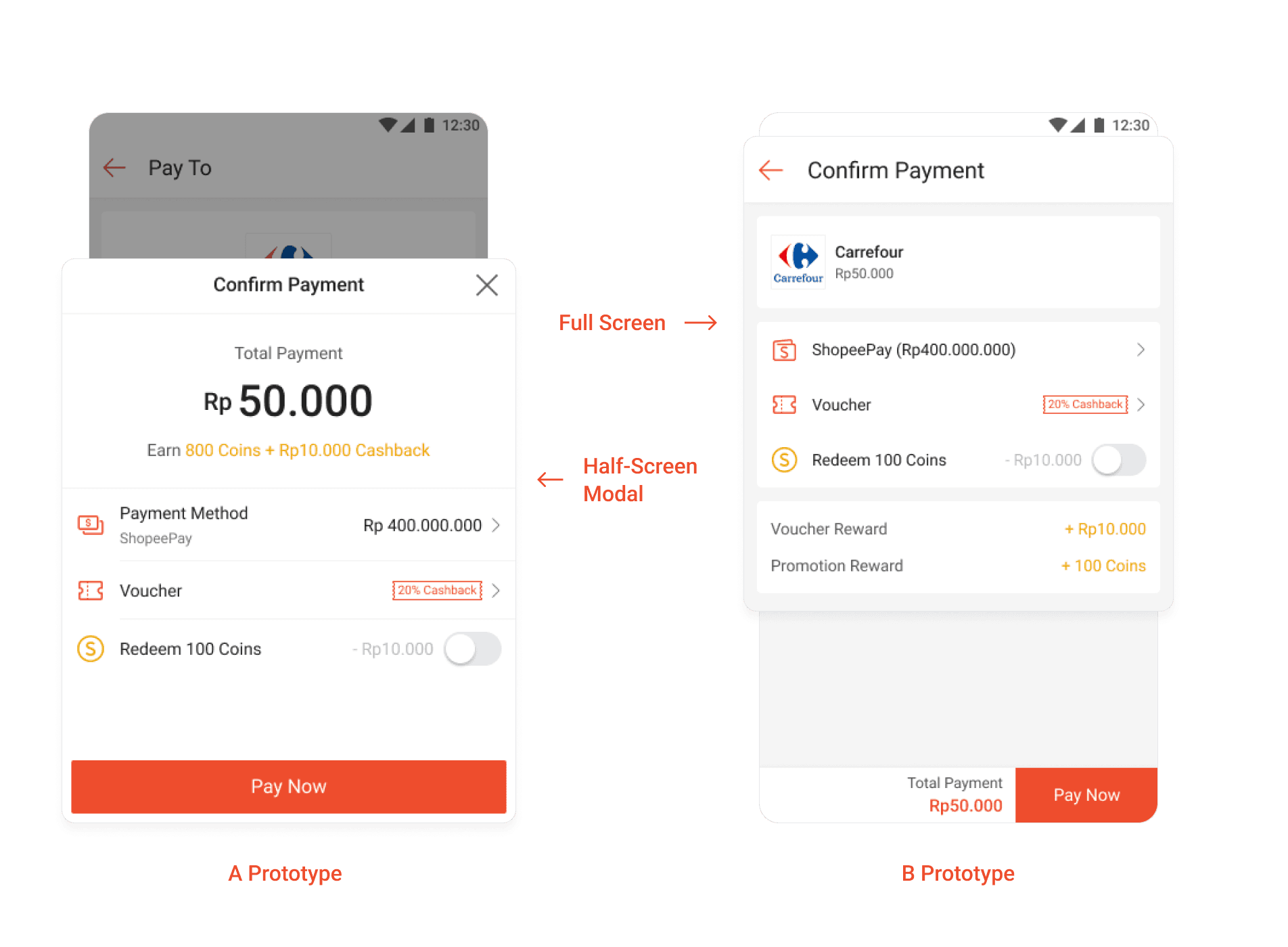
In specific, we think that half-screen modals should create ample methods of exiting and entering the screen.
Hypothesis
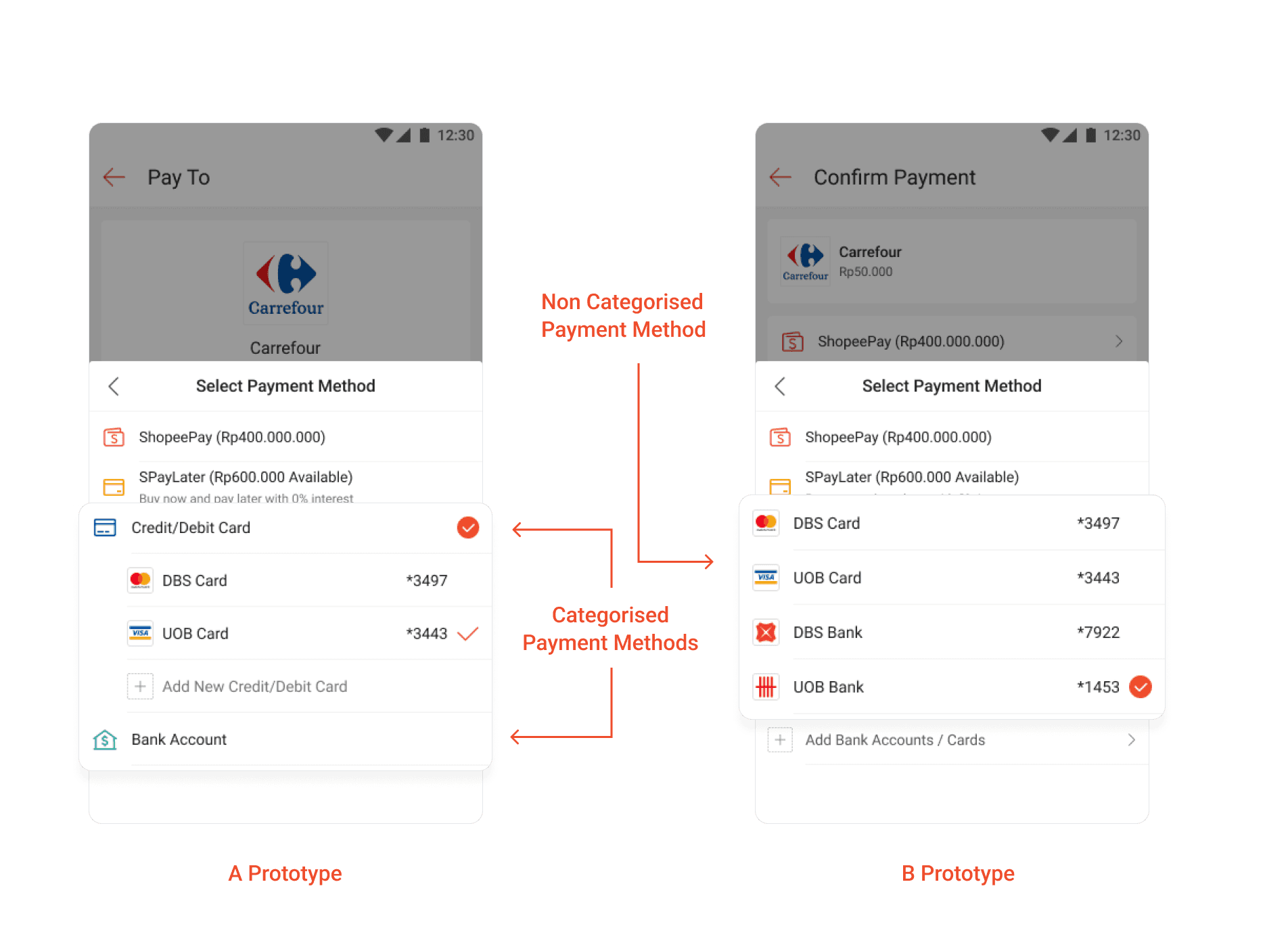
Beyond that, listing down all the payment methods might increase chances of making a mistake when two methods are similar, like “UOB Card and UOB Bank”.
Method 1 — A/B Testing
A/B testing allows us to clearly visualise the contrast between the control (without new UI components) and the prototype.
Since we could record the screen interaction, we could also uncover even more pain points of our current UI.
Method 2 — User Interviews
“Out of all the tasks, which one did you feel was the most difficult? Why?”
“Out of all the tasks, which one can you still remember the steps for? Why?”
In order to measure effectiveness* of our UI, we recorded different types of data, such as:
Quantitative — Time taken for users to complete each task. Completion rate of the tasks. Occurrence Rate of Common Problems.
Qualitative — On-screen Actions/Decisions. Post-Activity Interview.
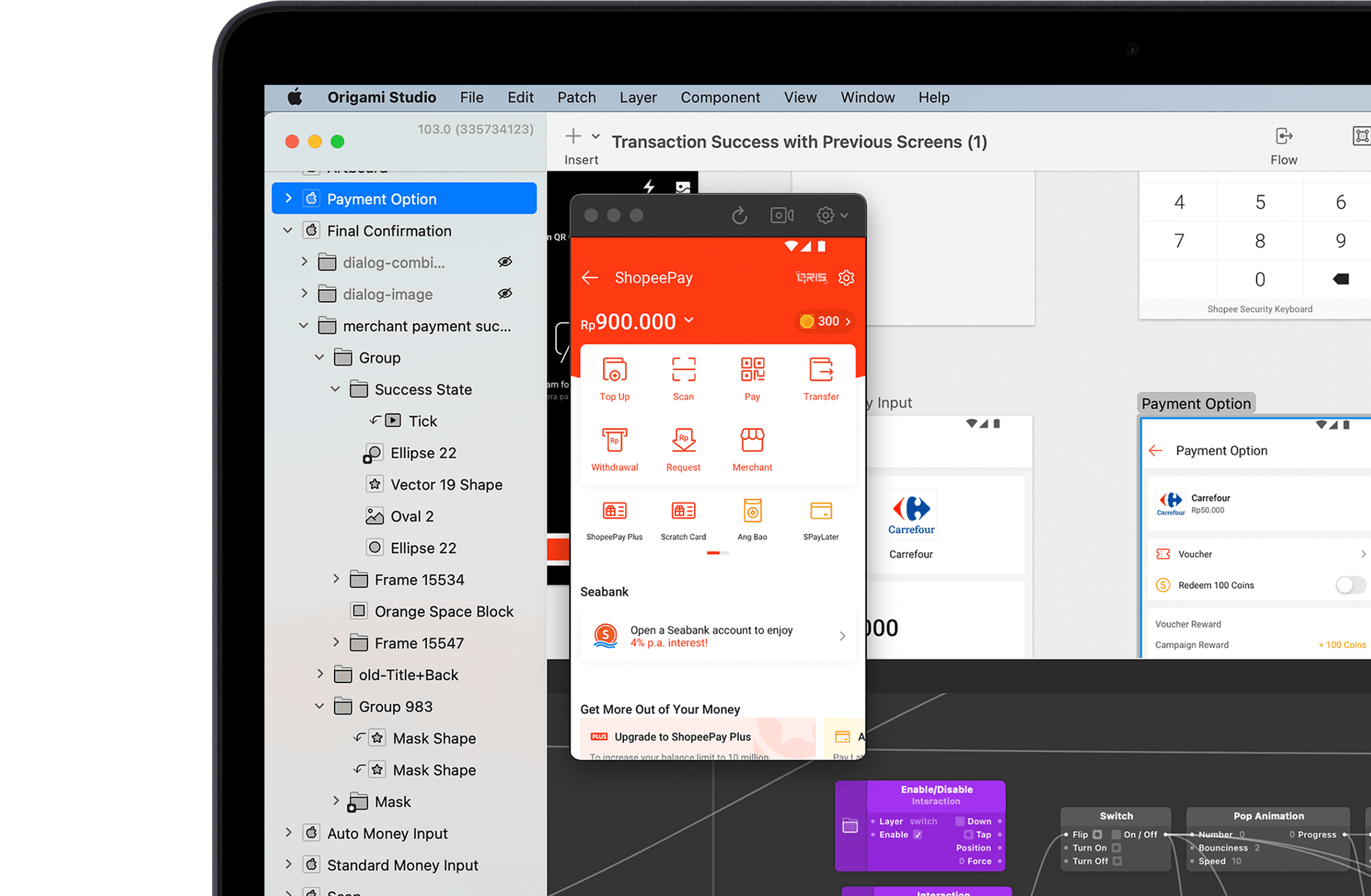
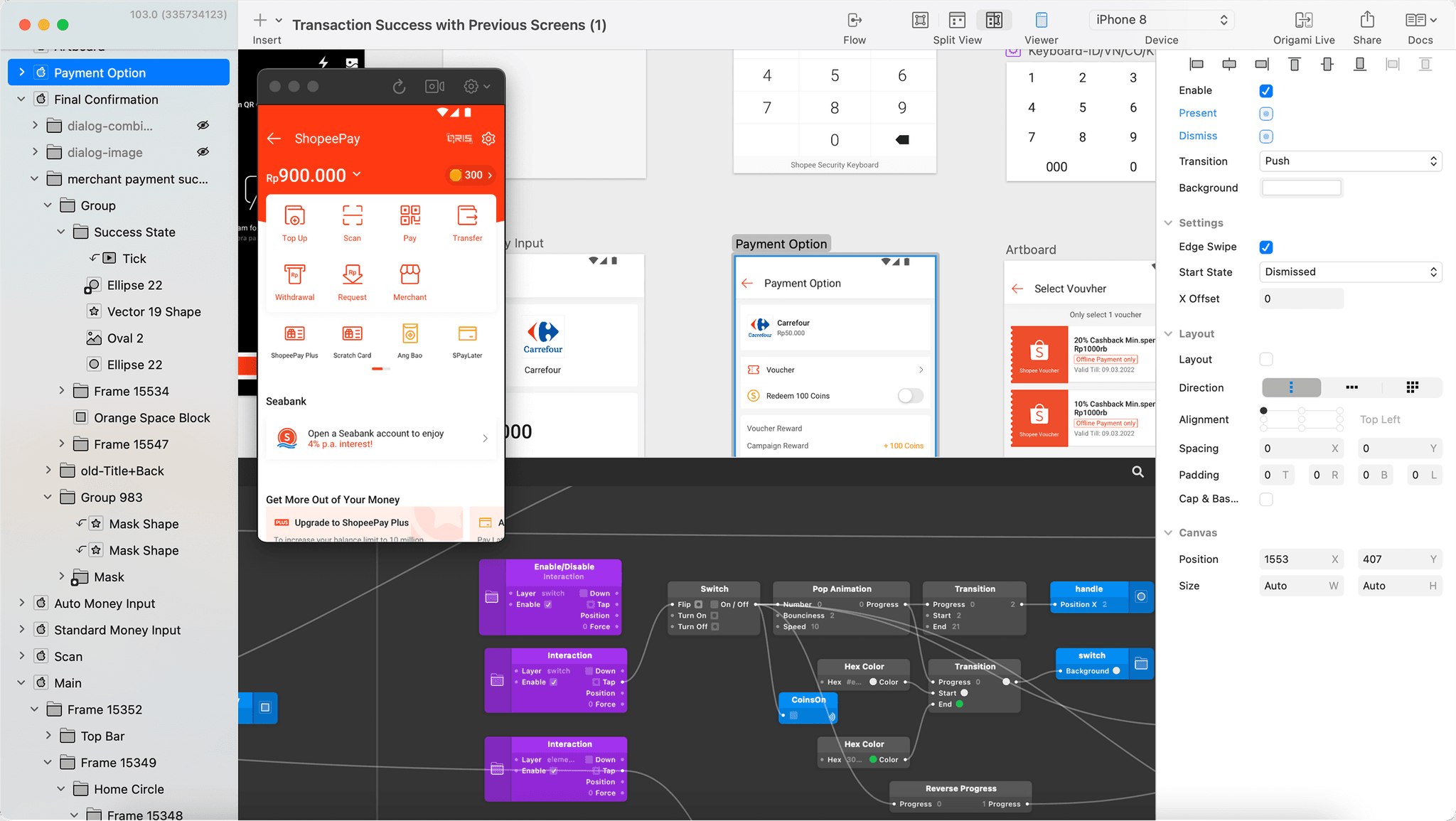
Prototyping
A near online experience could increase the accuracy of data collected. Origami Studio was used for its super high-fidelity capabilities, and knowing that I could develop it with speed.
Usability Testing
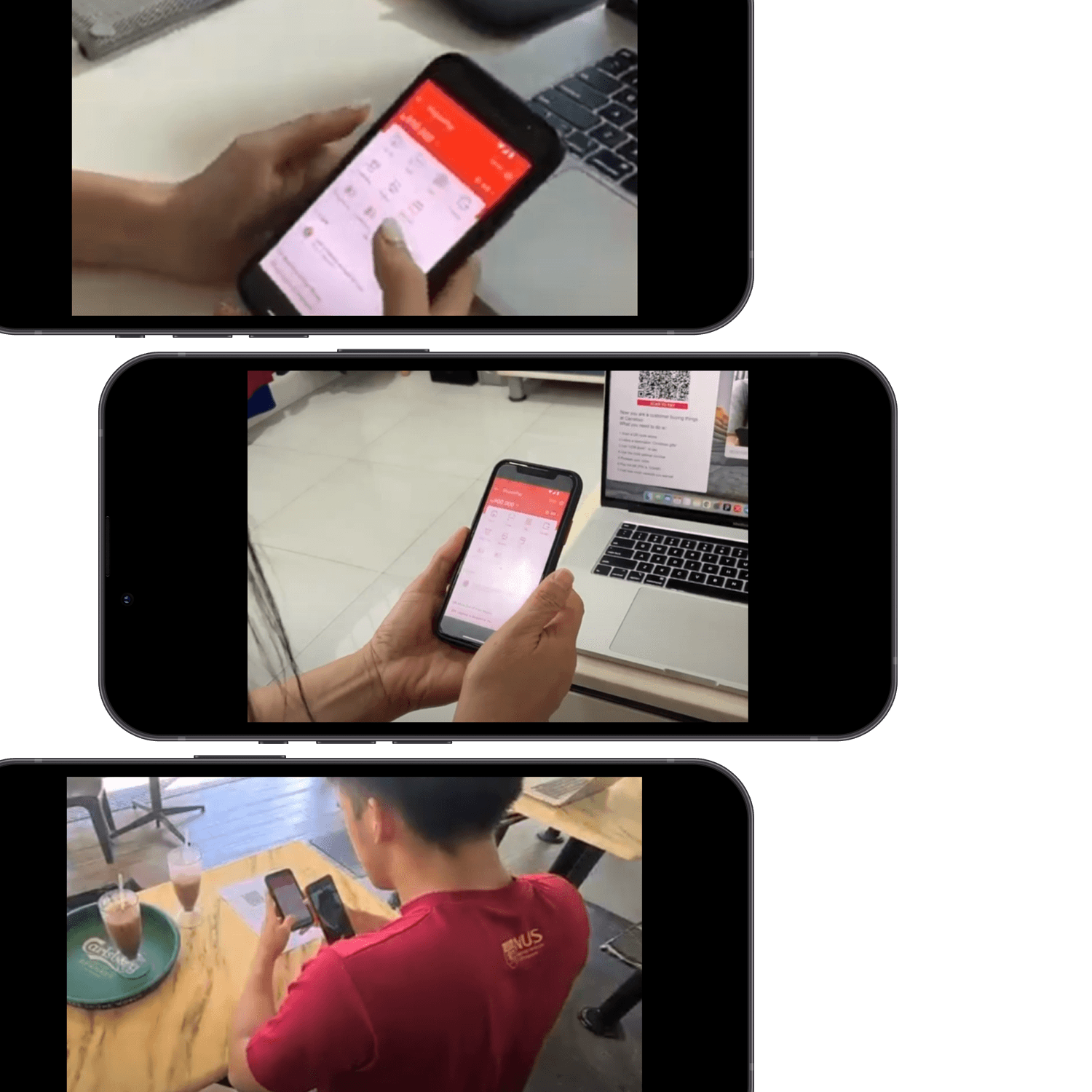
We recruited 10 participants, from family to friends. We also took into consideration COVID-19 measures and went down to them for each test.
Requirements: Across all age groups. Must be blinded (only record timing for first prototype tested).
Results
Untrue
Amount of screen entry/exit points in the modal is not correlated to the efficiency in task completion because these entry/exit points might not necessarily have conveyed its intended meaning. A back button cannot be assumed to reliably confirm a user's choice.
Untrue
Users would tap both options before hitting on one, increasing the amount of time taken. Some users are also unsure about the banking terms used as category headers.
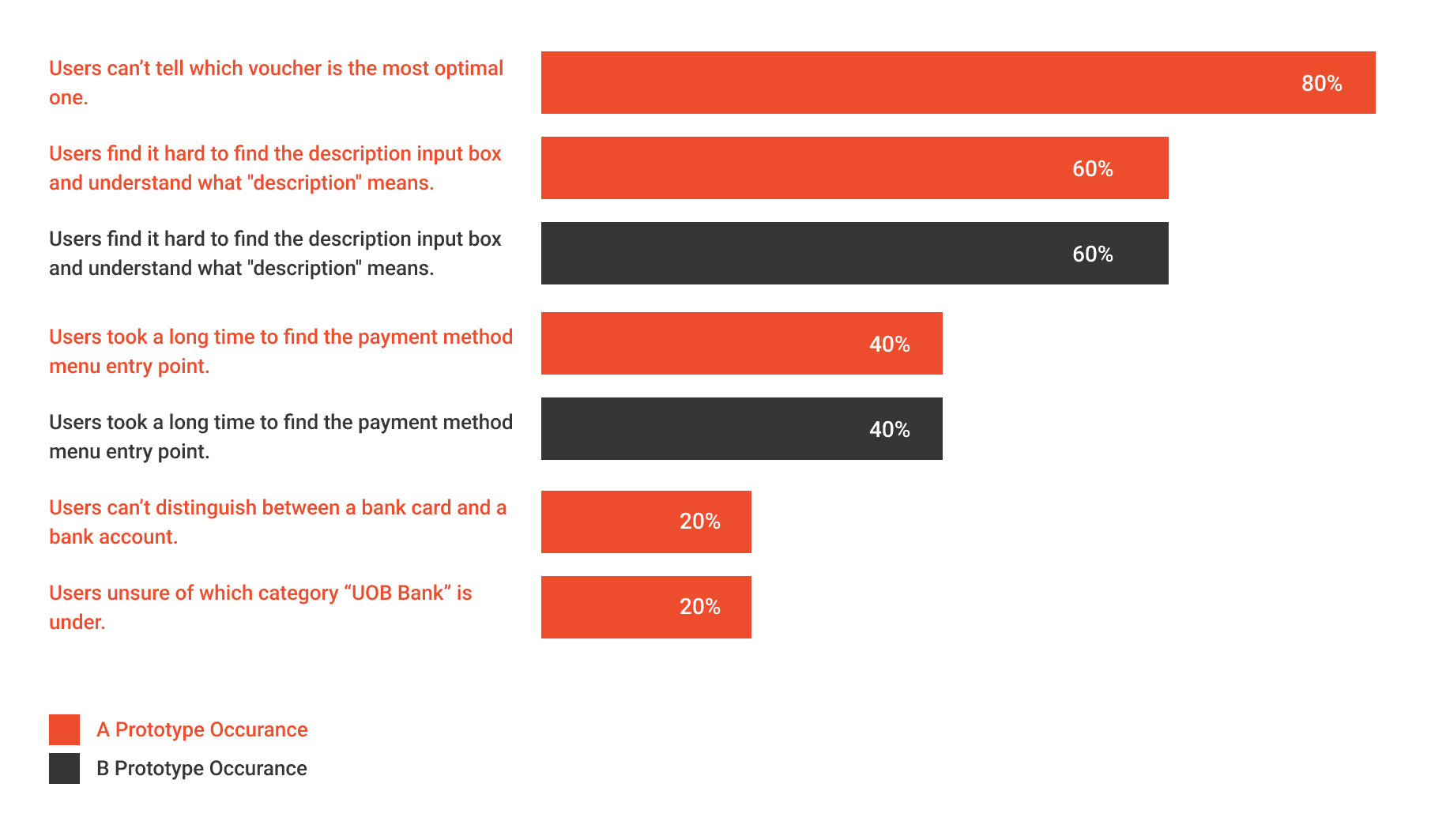
We took notice of high occurance problems first and took our interviews to understand why it happened. However, we kept in mind not to forget low occurance problems as well.
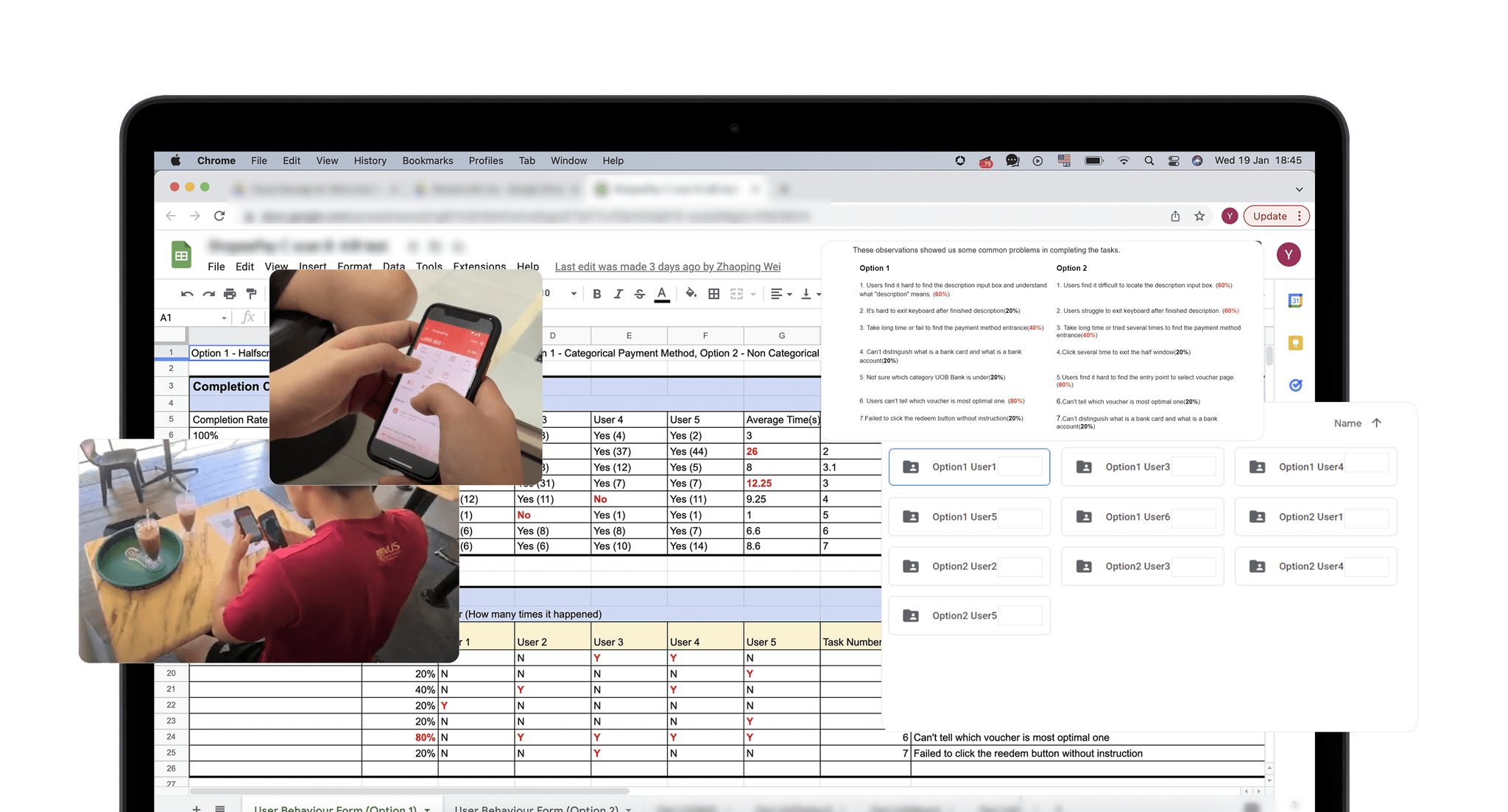
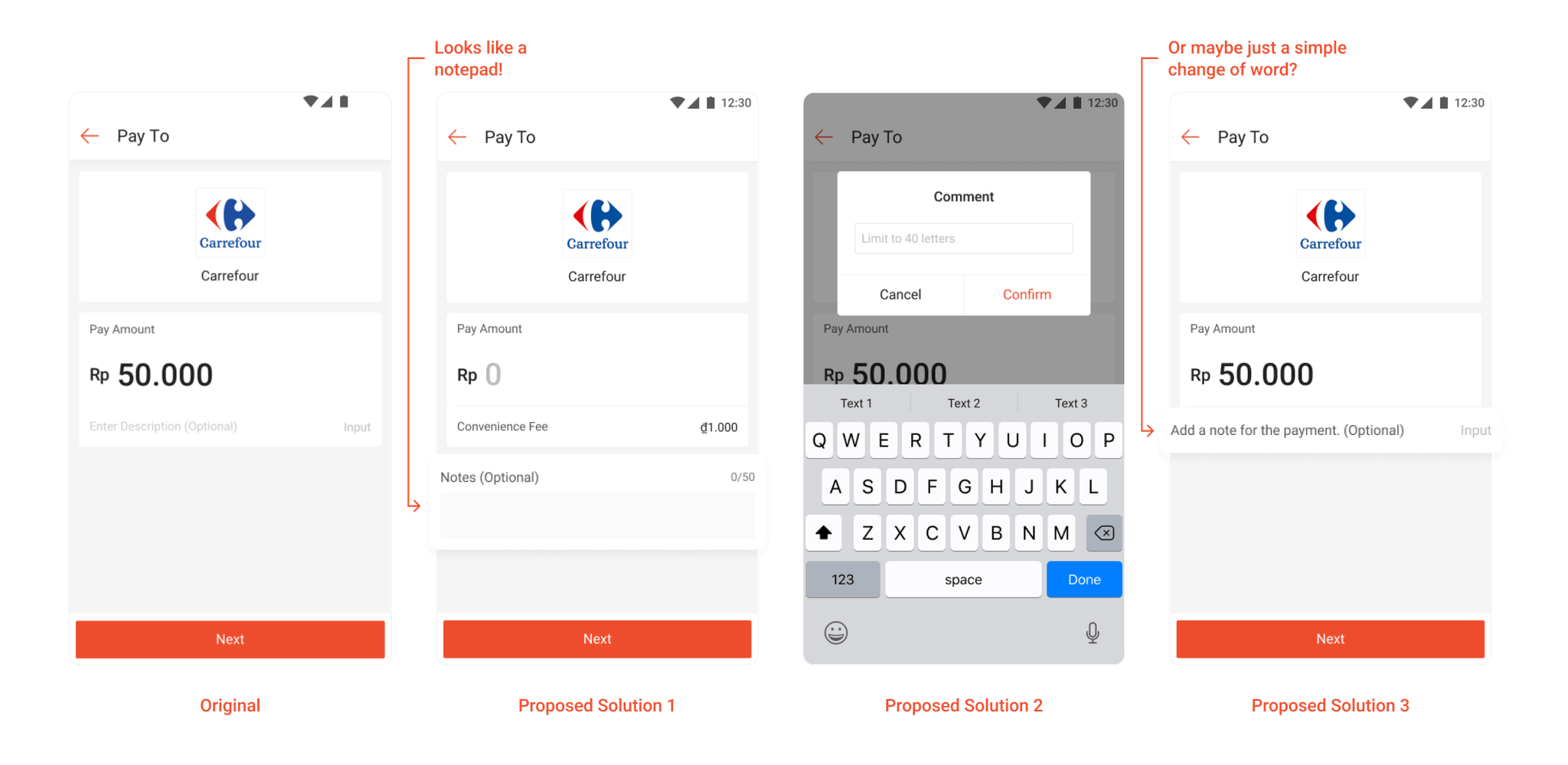
Synthesis #1
We noticed that the significance of a description was not conveyed well in the UI, especially with the term “description”. HMW slowly cultivate a habit of describing a purchase?
Our data shows that...
Most users took a long time to find the description box. (26s)
Some mentioned that it was not noticeable and they skipped past it.
Some didn't know what a “description” meant in a purchase.
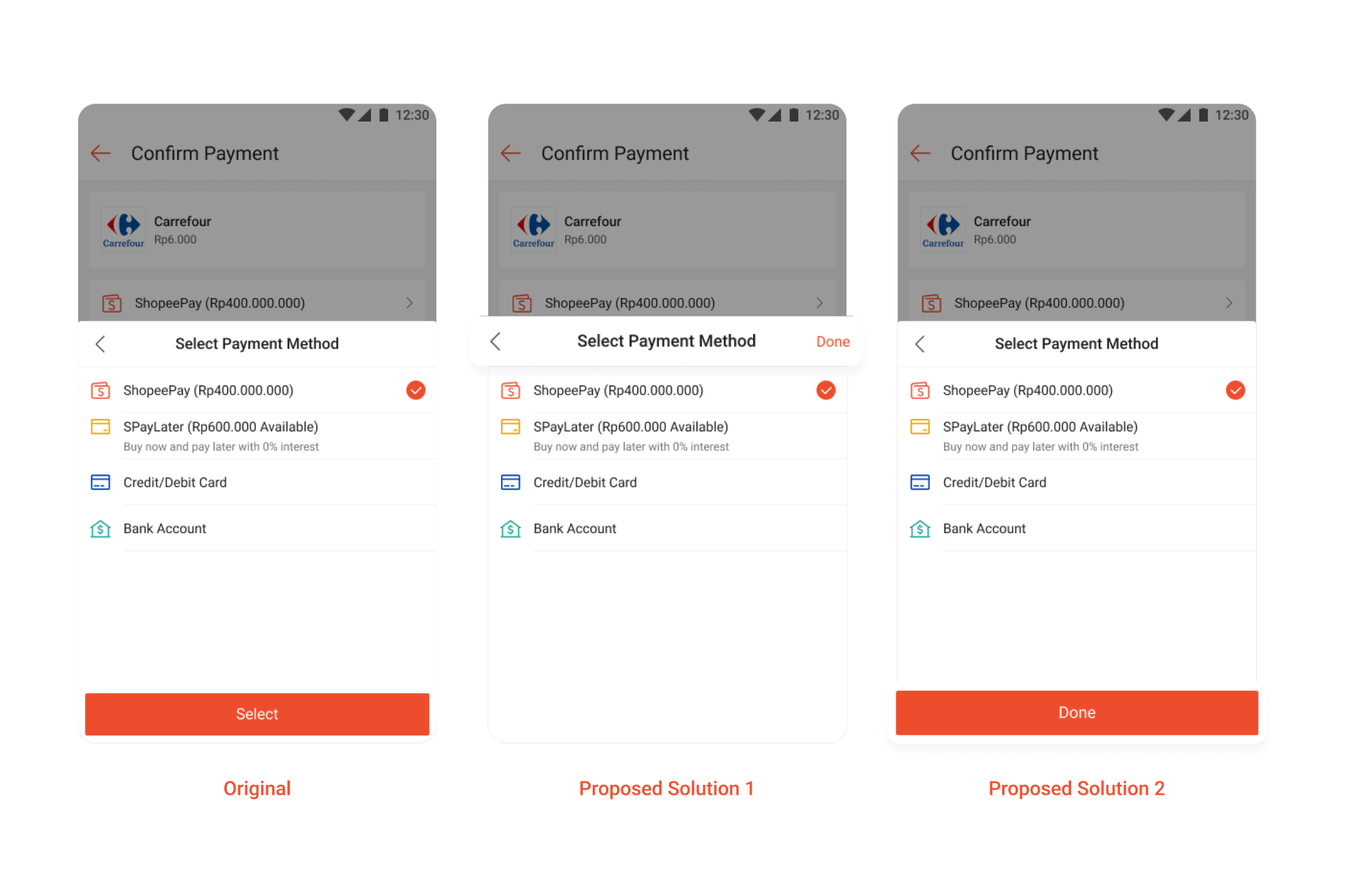
Synthesis #2
Unlike regular users, designers in Shopee are used to the clicking the grey empty area for “confirming” and “exiting”. In hindsight, this meant that the screen had 3 entry/exit points, none of which was easily noticable by our users. Interestingly, some users may also think that clicking the “back” button would reset their choice.
Our data shows that...
Users double tapped the option in an attempt to confirm the choice.
Many users hesitated in trying to exit the modal.
Users think that by clicking “back”, they would reset their choice.
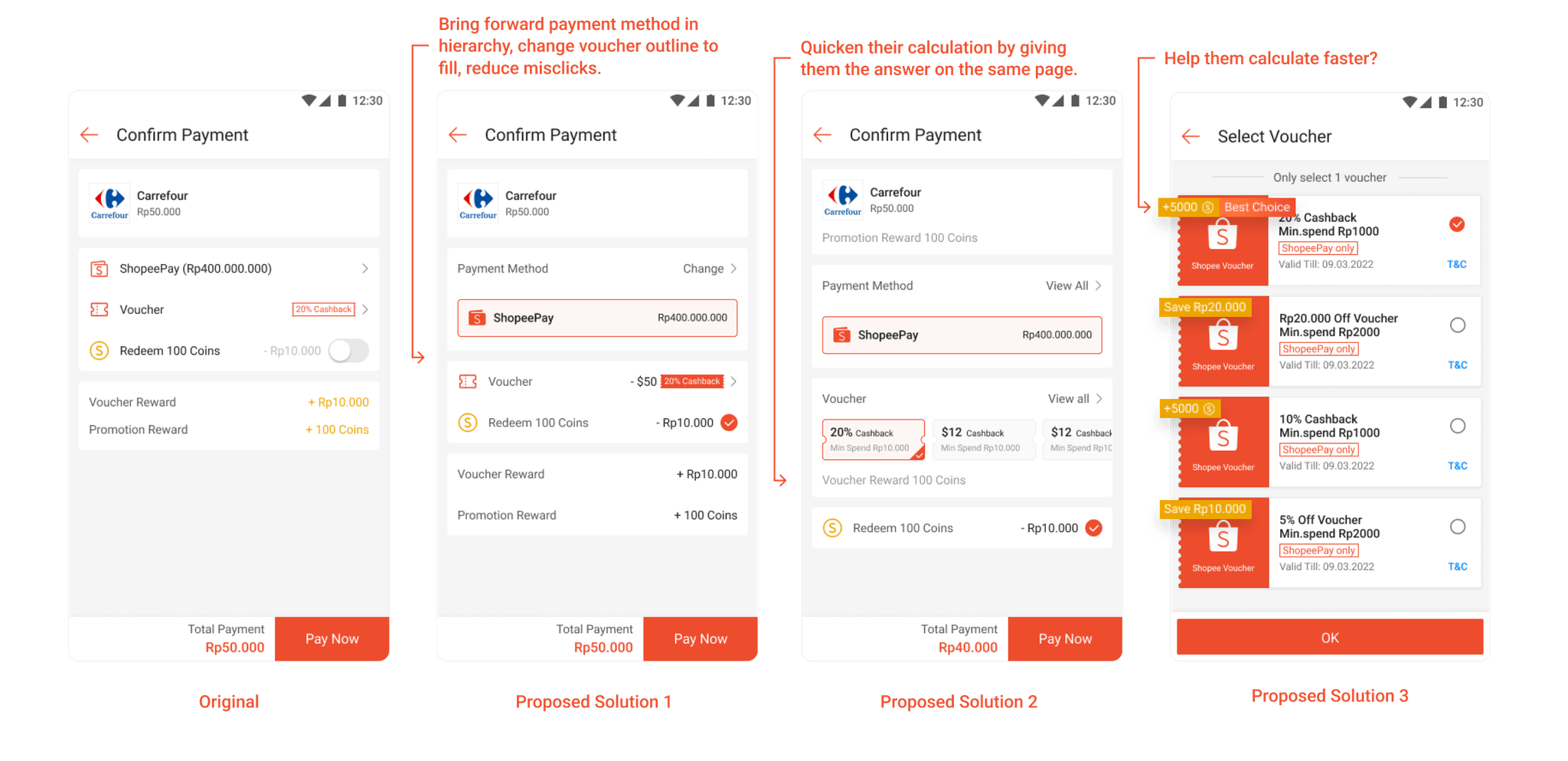
Synthesis #3
The large amount of information on the voucher does not guide decision making because users think that monetary value is more important than discount percentages. The repetitive action of going back and forth increases mis-click when menu items are of same visual hierarchy.
Our data shows that...
Buttons on a “list” might not be immediately noticeable.
Some users thought that voucher reward was the entry point to choose vouchers. (They notice the word voucher and clicked it)
It takes about 9s for users to select the optimum voucher.
People actually spend time to read descriptions of vouchers, but some of them fail to understand it.
Synthesis #4
We noticed that there was a lack of understanding of banking terms in our categories, especially within younger age groups. This is because they were not frequently exposed to payment methods such as direct bank deduction. Should we educate users to use this category in the future or disregard the categories as a whole?
Our data shows that...
Users took a longer time to find UOB Bank, when given categories. (12.6s vs 3s)
We noticed that some users do not know the difference between Banks and Debit/Credit Cards.
They would also often check both options, before landing on the final choice.
Reflection
Lesson
Not all hypothesis are conclusive directions, experiments can be exploratory in nature.
Lesson
We could have coordinated questions and tasks, including what we do on actual ground. (e.g Pointing out where to stop and start timing a task? What to tell the participants. Maybe some participants have experience using an iPhone while some do not?)
Lesson
For example, total time and time spent on each screen might not have necessarily helped us in our synthesis phase.